
Events
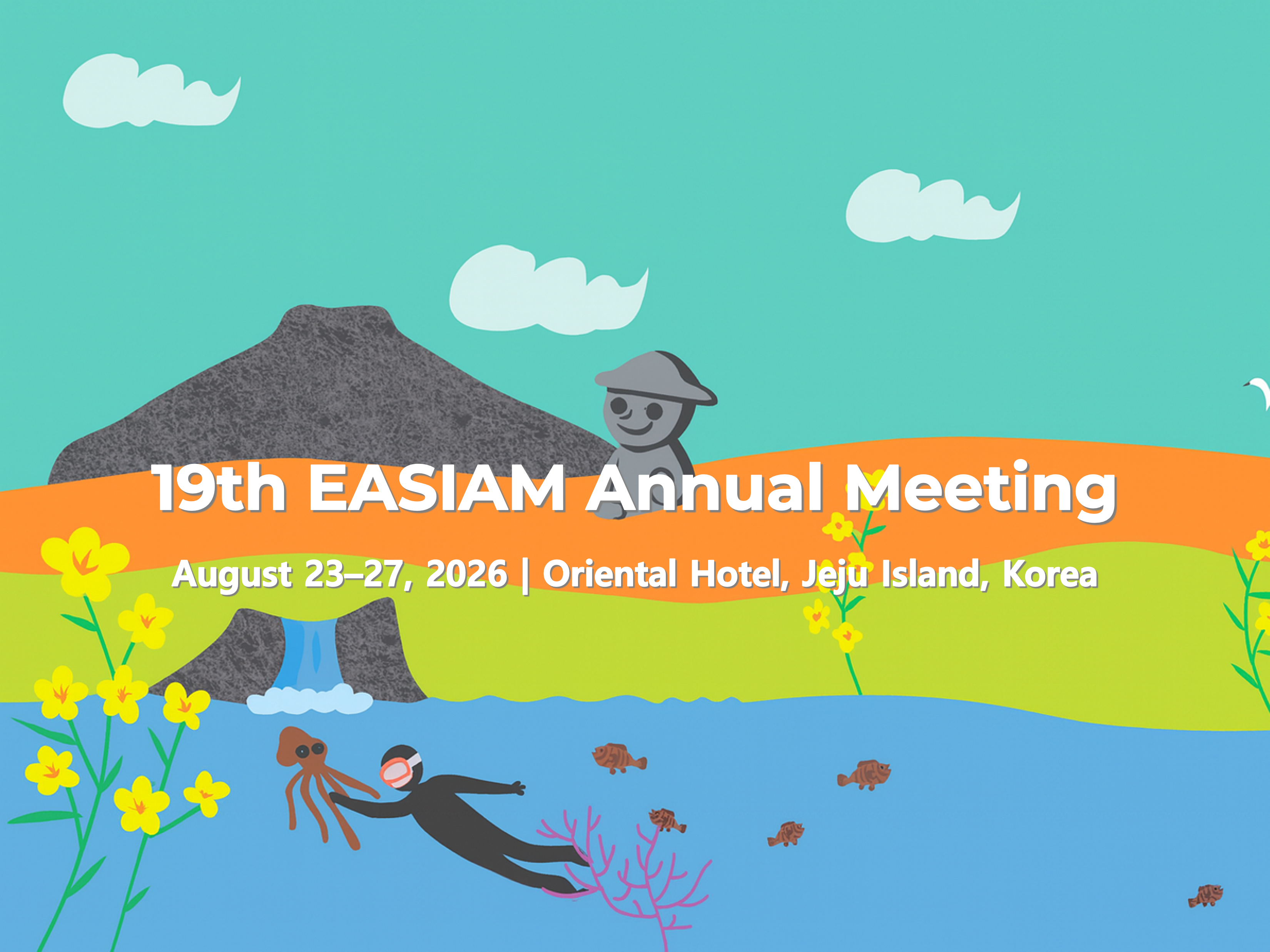
EASIAM 2026 – Regular (USD)
-
Date :
26.8.23(Sun) ~ 26.8.27(Thu)
-
Venue :
-
Registration :
26.8.01(Sat)~26.8.22(Sat)
-
Fee :
250.00 USD ~ 400.00 USD
-
Overview
About EASIAM 2026
The 19th East Asia SIAM (EASIAM) Annual Meeting brings together researchers, educators, and students in the field of industrial and applied mathematics from East and Southeast Asia. The conference provides a forum for the exchange of ideas and the presentation of recent results in all areas of applied mathematics.
Registration Fees
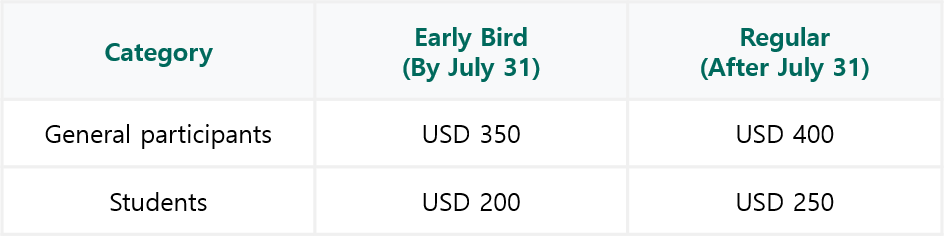
※ Please note that the regular registration fee will be automatically applied on the website starting August 1 (KST).International Credit Card Payment Guide
Participants using international credit cards are advised to review the information below. To make an overseas payment, your card must support 3D Secure authentication. Before proceeding with payment, please ensure that this service is registered and activated with your card issuer
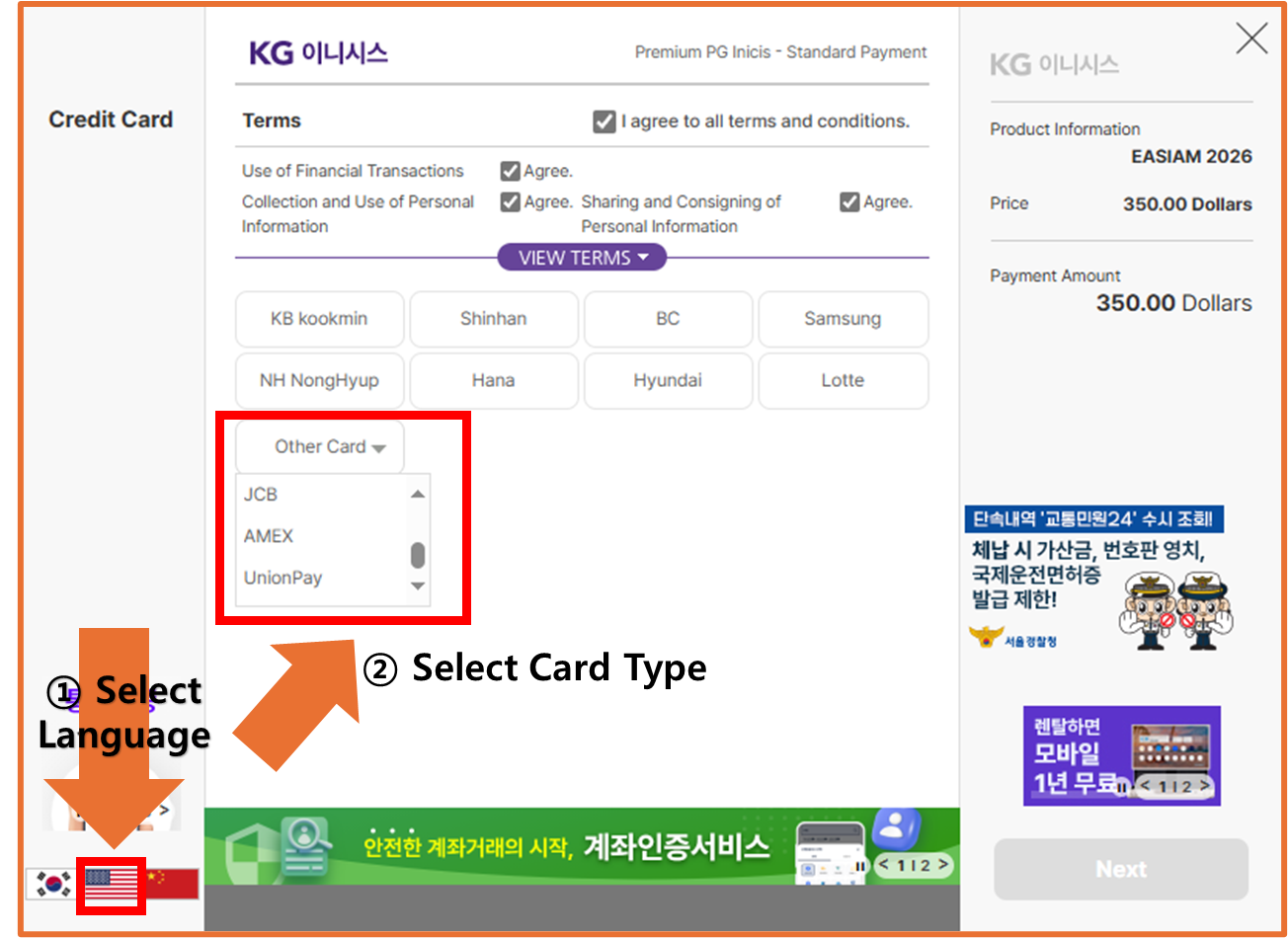
•How to Pay the Registration Fee
① Select Language (based on the English version)
- Click the U.S. flag icon located at the bottom left of the payment page.
② Select Card Type
- In the payment method section, select “Other Card,” then choose your
card type (AMEX, Visa, or Mastercard) to proceed with the payment.
※ UnionPay card users must make payment in KRW, not in USD.
Please click " EASIAM 2026 – Regular (KRW) " to proceed with
payment.
•How to Get a Receipt
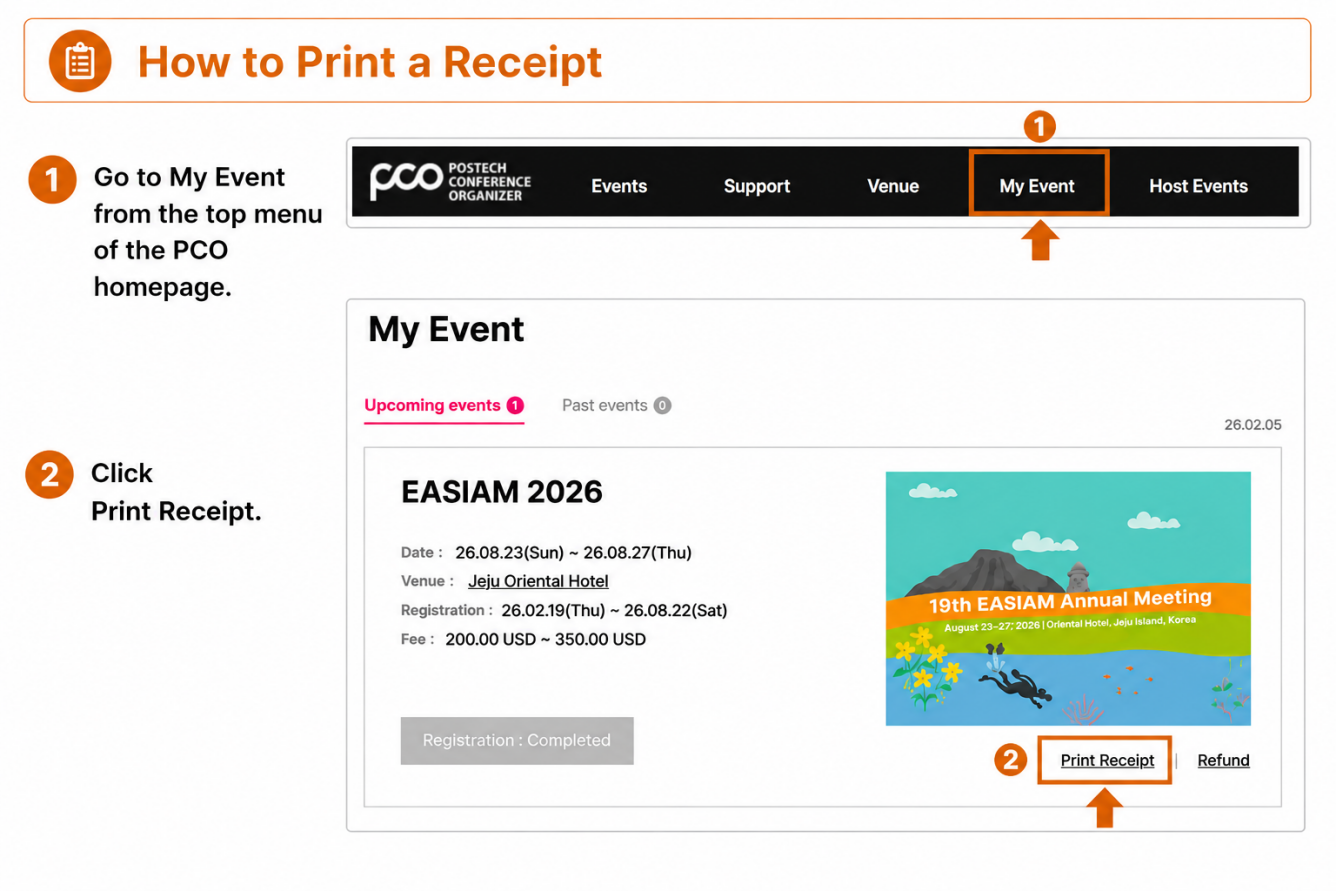
You can issue a receipt through My Event in the top menu of the homepage.
① Go to My Event from the top menu of the PCO homepage.
② Click Print Receipt.
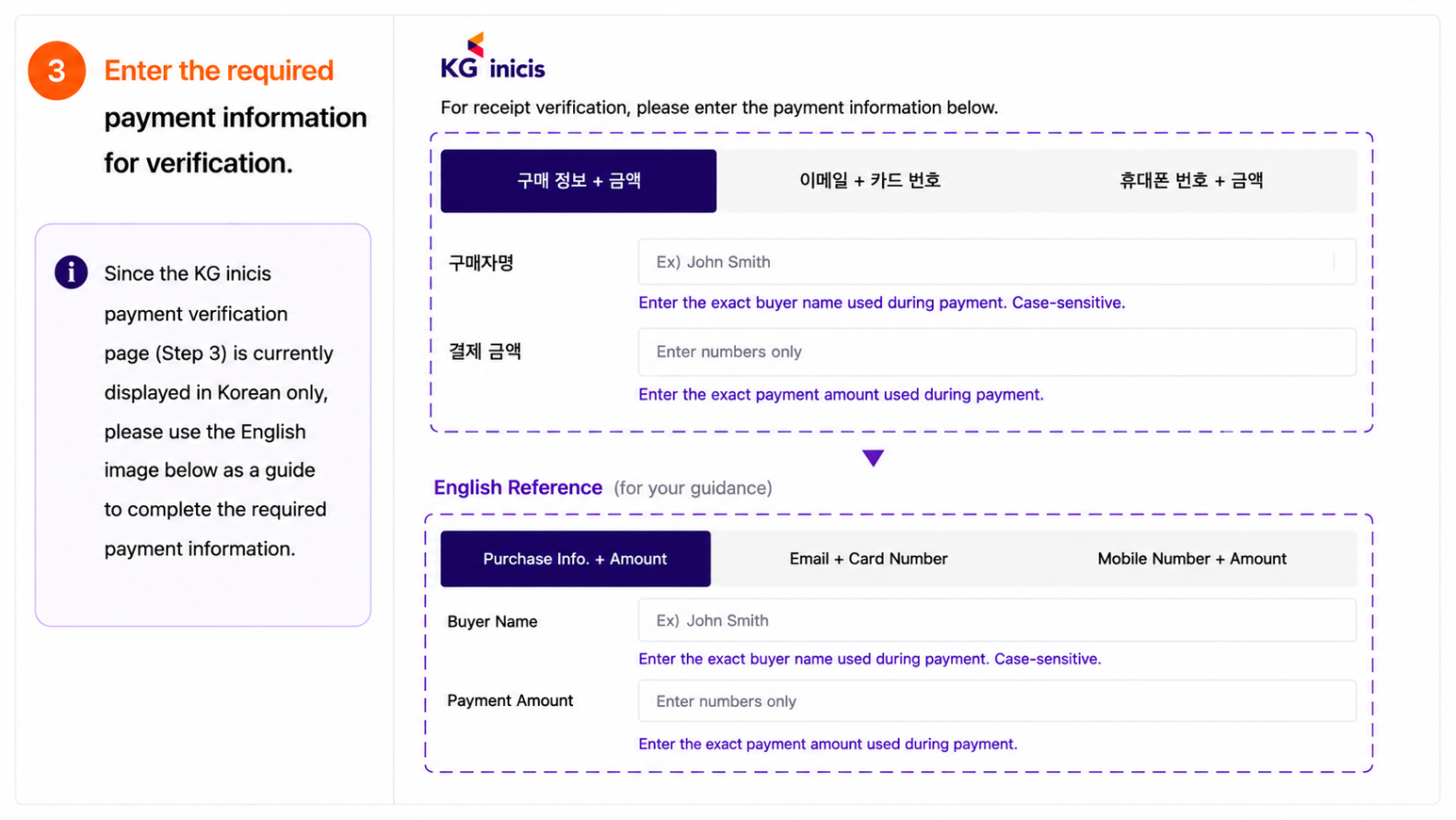
- Since the KG inicis payment vertification page (Step 3) is currently
displayed in Korean Only.
- Please click to “Guide for Issuing Payment Receipts" for details
- You may also use the English image below as a guide.
③ Enter the required payment information for verification.
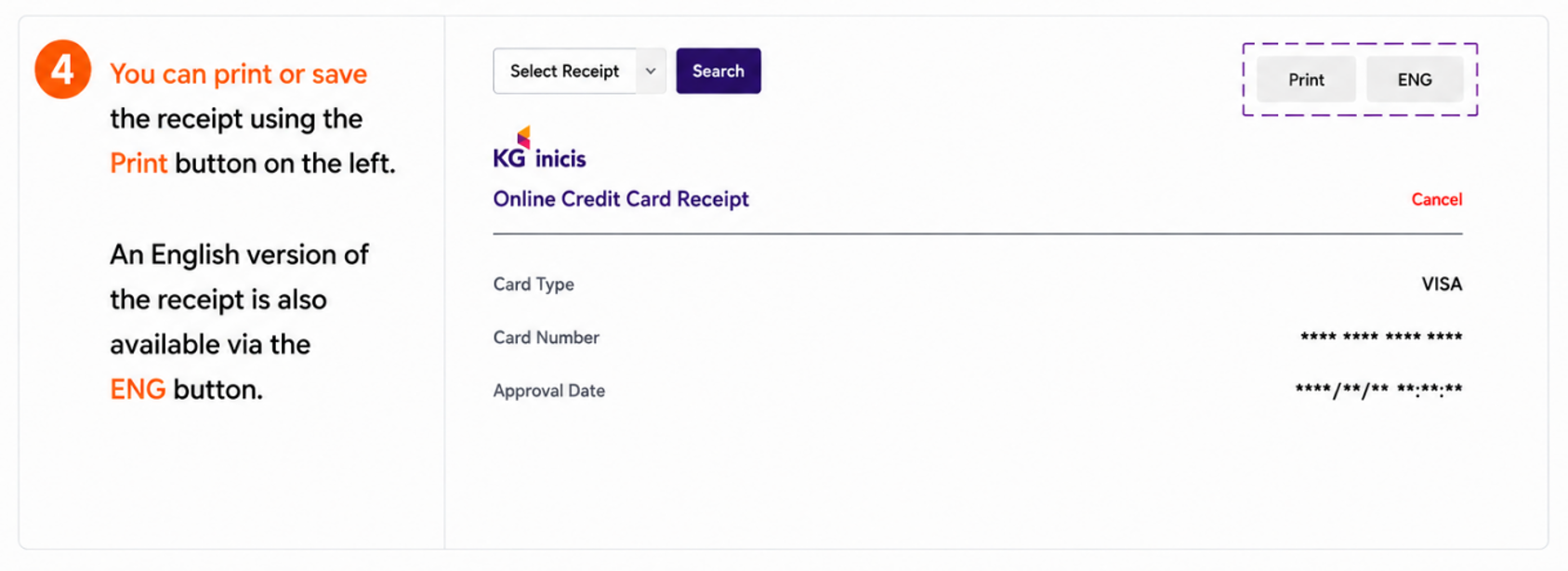
④ You can print or save the receipt using the Print button on the left.
An English version of the receipt is also available via the ENG button.
※ In case you are unable to locate or print your receipt,
please contact us at easiam2026@gmail.com
- Organized by POSTECH MINDS
- Supported by the Department of Mathematics at POSTECH, SIAM, NIMS, KSIAM, and the Jeju Tourism Organization
- Inquiry & receipt: easiam2026@gmail.com
- More information : https://easiam26.github.io/index.html
SNS Sharing
새로 등록 가능한 이메일입니다.
This email address is available for registration.
가입된 이메일입니다.
Registered email address.
이미 가입된 이메일입니다.
기존에 등록한 비밀번호로 입력해 주세요.
비밀번호를 잊으셨다면, 새로받기 해주세요.
This email address is already registered.
Please enter your existing password.
If you forgot your password,
Please reset the password.
비밀번호가 틀렸습니다.
The password you entered is incorrect.