Notice
How to Get Your Receipt (For Overseas Payments)
- 26.07.06
Please refer to the attached guide image and follow the steps below to print your receipt.
Step 1: Click "Print Receipt" in My Event.
Step 2: A guide popup will appear. Click "OK". 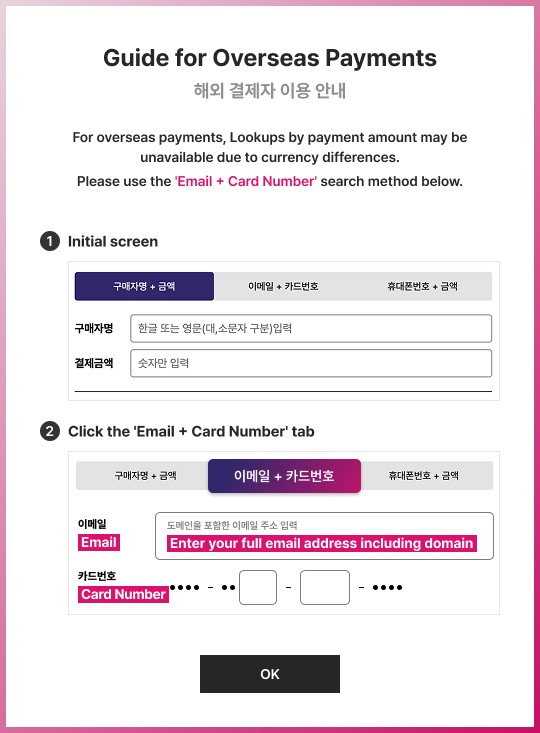
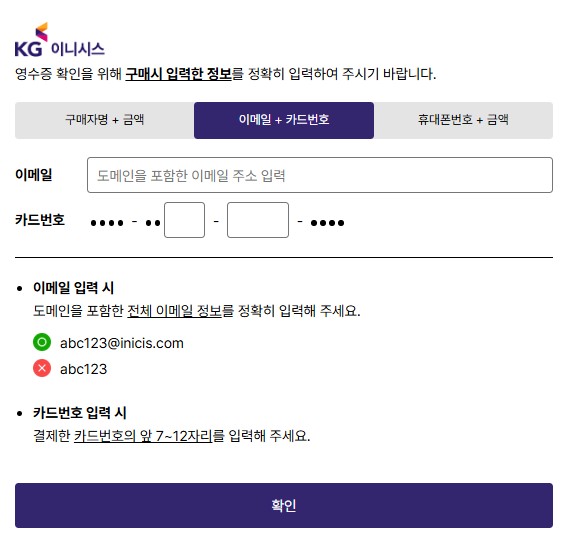
Step 3: The next page (in Korean) will open as shown below. Select the second tab "이메일 + 카드번호" (Email + Card Number) and enter your information
- 이메일 (Email): Enter your full email address including the domain (e.g., abc123@inicis.com).
- 카드번호 (Card Number): Enter the middle digits of your credit card into the blank boxes.
When finished, click "확인" (Confirm) to print your receipt.